Snap pictures of your damaged items and let AI build your claim inventory. It identifies each piece, captures the visible damage, estimates replacement costs, and organizes everything for your adjuster.
For homeowners rebuilding after smoke, water, flood, or storm damage.
Free for small claims — no credit card.
After smoke, water, or storm damage, your insurance company needs a detailed list of every claim item — every brand, every estimated value. Walking through a damaged home and cataloguing it all in a spreadsheet can take days. Snap Inventory does the cataloguing from your photos.
Walk through the affected rooms and photograph the damaged items. Upload as many as you need — we handle the rest.
Our AI scans each photo, recognizes individual items, and fills in names, brands, conditions, and estimated replacement costs.
Look over the results, make any edits, and export as a PDF and spreadsheet — formatted and ready to send to your adjuster.
From photo upload to finished report, here's exactly how Snap Inventory turns your pictures into a complete claim inventory.
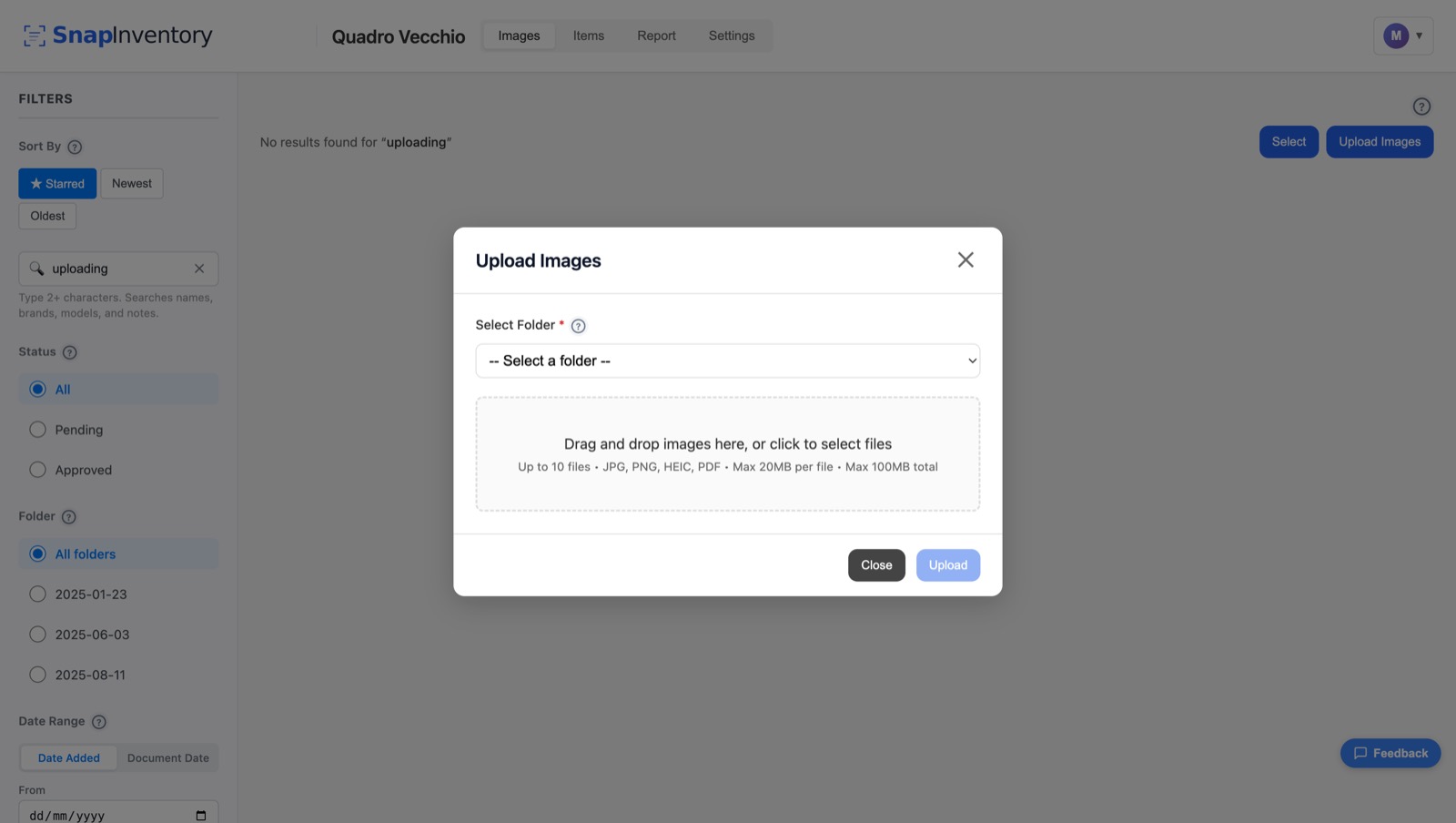
Walk through your home and take photos right from your phone — no app to install. Or drag and drop a batch of pictures straight from your computer. Group them into folders by room as you go, so everything stays organized from the start.
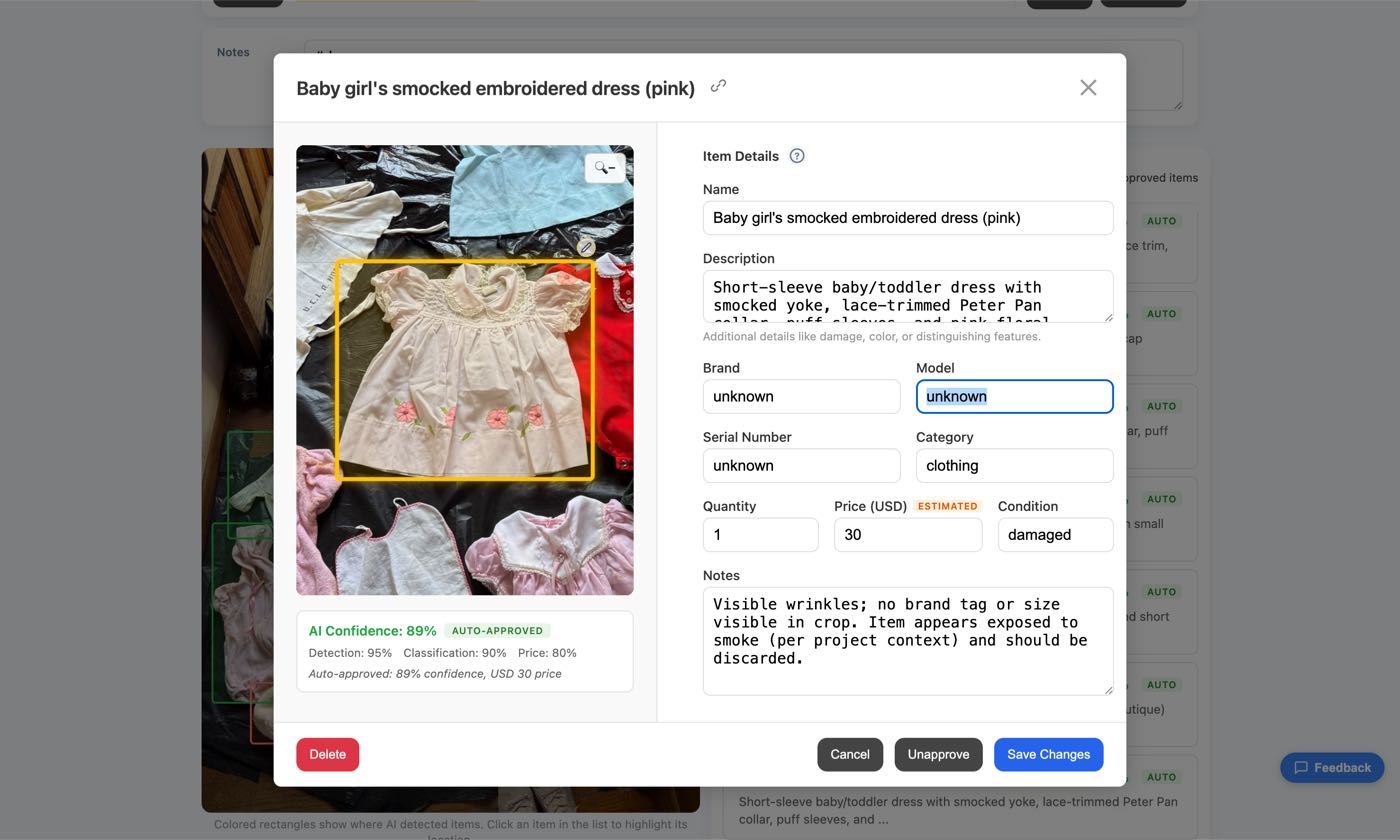
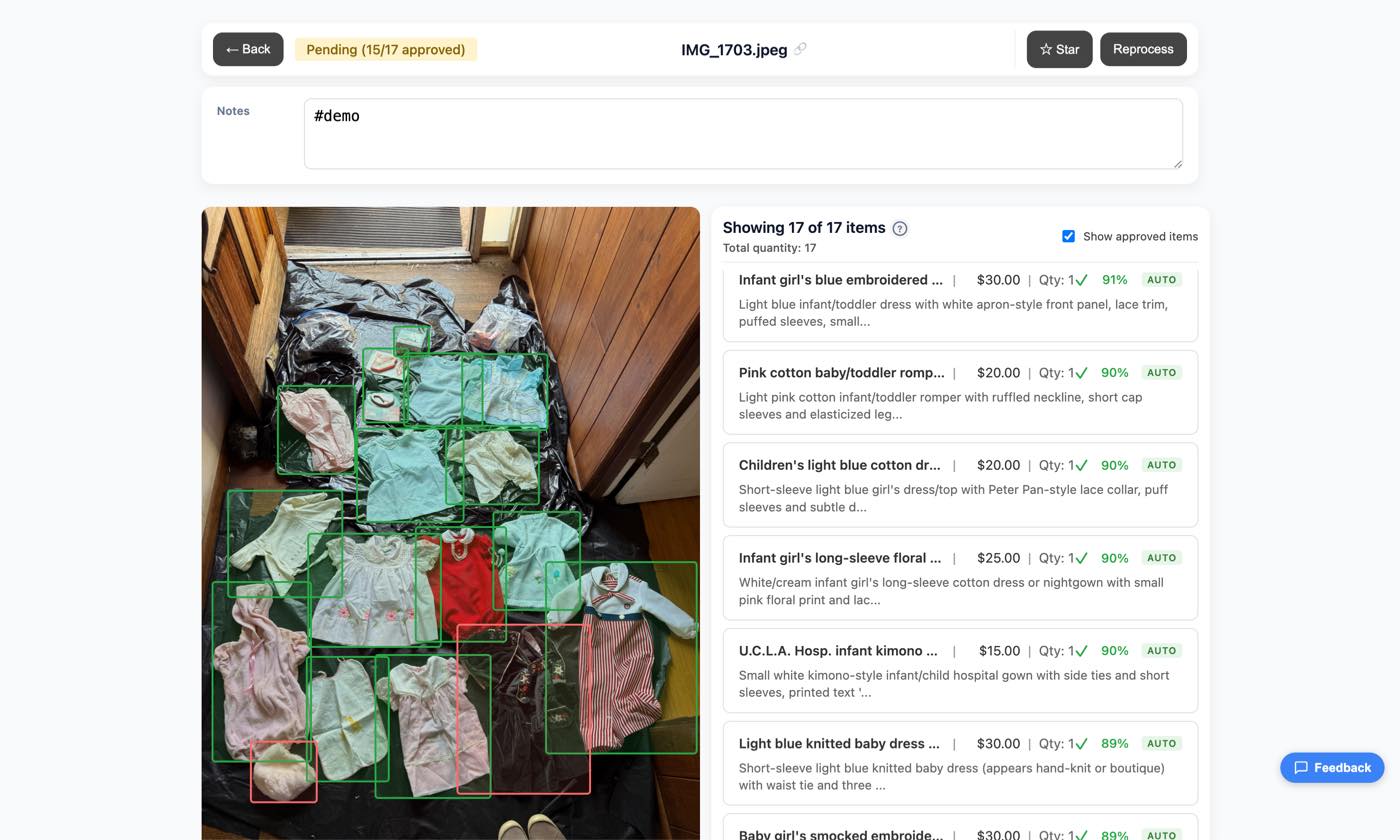
Our vision AI examines each photo and draws a bounding box around every claim item it finds. It identifies the brand and model when visible, captures size, color, and the visible damage, and estimates replacement costs based on what it sees. You get a fully populated inventory line for every item without typing a thing — ready for you to review and refine.
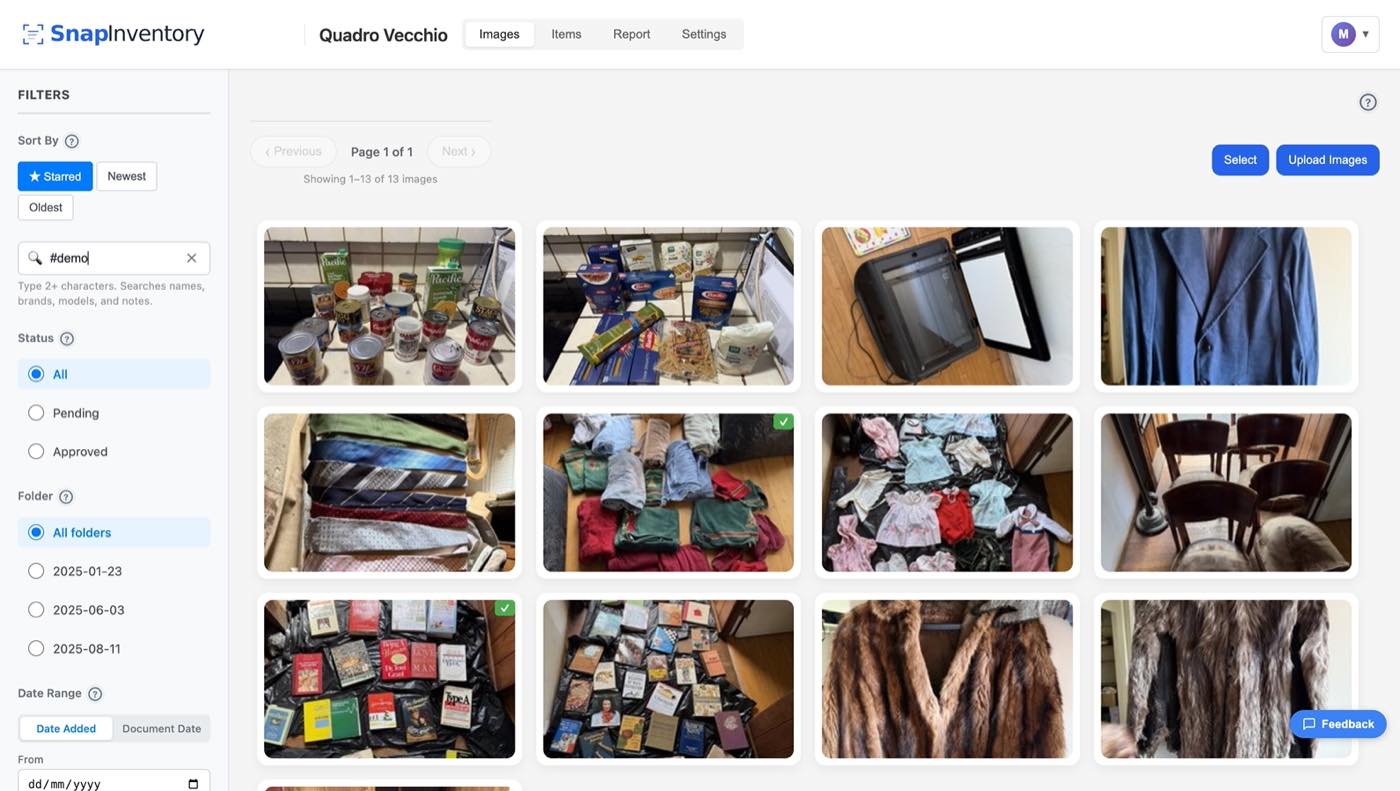
Your photo library shows every uploaded image with a status badge — processed, in progress, or needs review. Click any image to see exactly what the AI found and make corrections if needed.
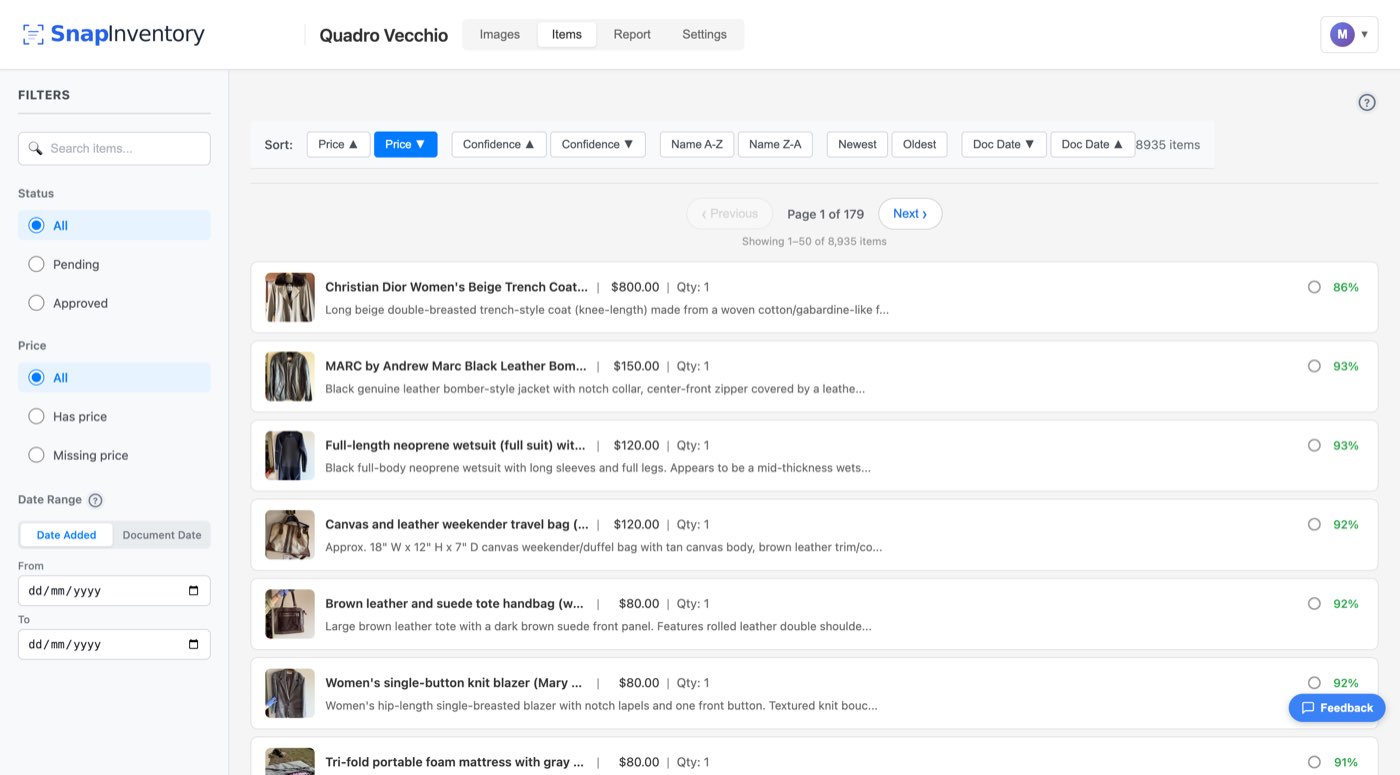
All items from every photo are consolidated into a single inventory. Search, sort, and filter by room, category, price, or AI confidence to find exactly what you need. Edit in bulk straight from the list — update prices, fix names, or approve a whole batch at once without opening each item one by one. What used to be hours of clicking through spreadsheets becomes a few minutes of quick scanning.
Open any item to review and edit its full details — the description, condition, replacement cost, notes, and every other field the AI populated. The cropped photo and AI confidence score sit right next to the form, so you can see exactly what the AI saw and decide what to keep, tweak, or rewrite. The AI gives you a strong starting point; you just confirm or correct.
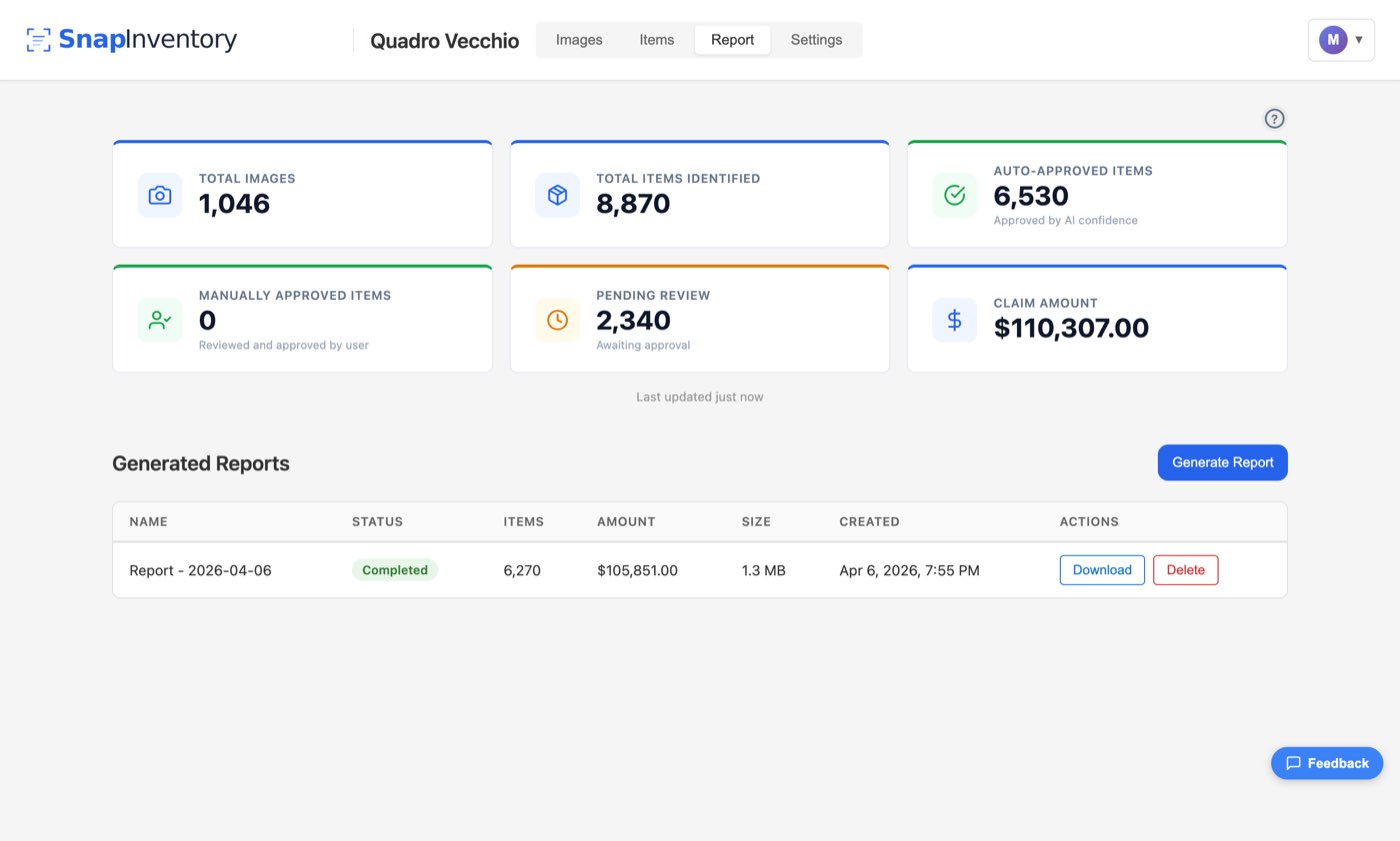
The report page gives you a live overview of your whole claim — total photos, items identified, how many are auto-approved versus still pending review, and a running claim amount that updates as you work. It's an at-a-glance progress check, so you always know how close you are to done. When you're ready, hit generate. Snap Inventory produces a polished PDF report and a detailed Excel spreadsheet — formatted exactly the way adjusters expect. Download them, email them, or share a link.
What used to take a weekend of spreadsheet work now takes a few photo uploads. AI does the tedious cataloging so you can focus on what matters.
The AI recognizes brands and models and provides fair replacement values, helping you avoid under-claiming and leaving money on the table.
Items are sorted into folders by room or category. Everything stays tidy and easy to find when your adjuster asks questions.
Invite family members to add their own photos and review items. Everyone contributes, nobody has to remember everything alone.